Can't sign in? Fix every login problem step by step
One Group Central sign-in problems almost always come from the wrong portal address, wrong credentials, an account or organization status message, or a two-factor code issue. First check that you are at app.onegroupcentral.com/ followed by your organization's slug, then tap "Forgot password?" on the login screen if the password is the problem.
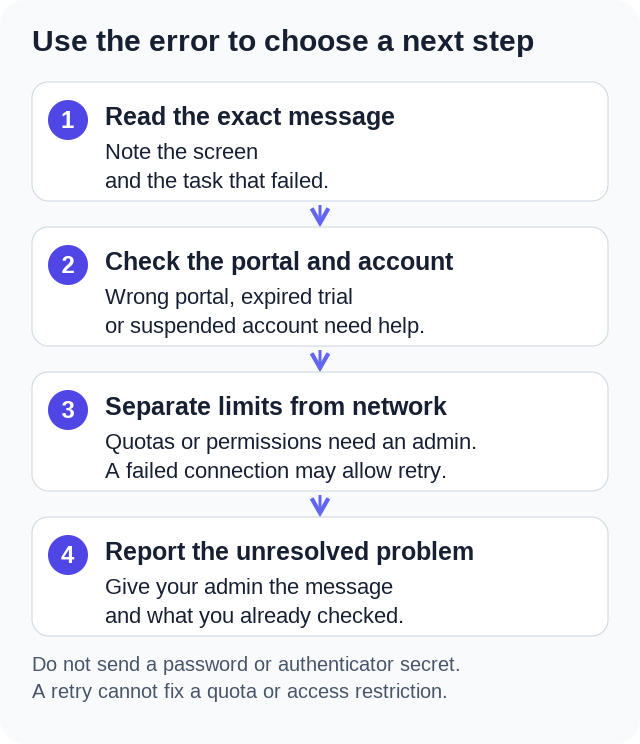
Work down this list in order; each section tells you exactly what the screen says and what to do about it.
1. Are you at the right portal?#
Your portal address is https://app.onegroupcentral.com/ followed by your organization's slug (lowercase letters, numbers, and hyphens). If you open the app with no slug, a landing screen asks you to "Enter your organization's slug to continue." A wrong slug means a wrong organization, and your email will not exist there.
If the slug in your address names no organization at all, the app stops you with a dedicated "No organization found at this address" page (with a button to enter a different address), and the slug-entry screen refuses to continue to an address that does not exist, so a mistyped bookmark does not look like a wrong password. Check your invite email for the correct link, or ask your administrator for the slug. Full details are in Sign in to your portal.
2. Invalid email or password#
The error is deliberately generic, so first confirm you are using the email address your invitation was sent to. If the password is the problem:
- Tap the "Forgot password?" link on the login screen and enter your email.
- The screen always confirms: "A password reset link has been sent to
. It expires in 1 hour." - Open the email, follow the link, and set a new password (12 characters minimum).
Note: Resetting your password signs you out of every device. Signing out everywhere is expected and protects you if a device was compromised. If the email never arrives, see Not Receiving Emails.
A reset response should not reveal whether an account exists. The OWASP password reset guide explains generic responses and expiring, single-use reset tokens; the one-hour limit above is One Group Central's own setting. References checked October 11, 2026.
3. An account status message#
The login screen tells you exactly which state you are in:
| Message | Meaning | What to do |
|---|---|---|
| "Your account has been suspended. Please contact your organization's administrator to restore access." | An admin suspended your account | Contact your administrator |
| "Your account is temporarily locked until | A temporary lock is in place | Wait until the shown time, then try again |
| "Your account is pending activation. Check your email for an invitation link, or contact your administrator." | You never finished accepting your invite | Find the invite email and complete signup; if it is gone, ask your admin to resend |
4. An organization status message#
- "Your organization's access has been suspended. Please contact your administrator." The whole portal is suspended; only your organization's owner can resolve this with the One Group Central team.
- "Your organization's free trial has ended. Ask your organization's owner to subscribe." The 60-day trial is over. Members and admins see this, so tell your owner. Owners never get this message: you can still sign in, you land on the Billing screen, and subscribing there restores access for everyone. See Your Free Trial.
5. Two-factor code problems#
If 2FA is enabled on your account, your password alone is not enough. After you tap "Sign In", an "Authenticator code" field appears; enter the current 6-digit code there. If codes are rejected:
- Wait for a fresh code; each one lives only 30 seconds.
- Check your phone's clock. Clock drift is a common cause of repeated "wrong code" failures: set the phone to automatic network time and try again.
- Lost the authenticator entirely? Email info@onegroupcentral.com. Your organization's admins cannot reset it from the app. Our team confirms you are the account holder, then turns two-factor off, which also signs your account out on every device. You can then sign in with your password alone and set two-factor up again. More in Two-Factor Authentication.
Authenticator codes depend on a shared clock. RFC 6238 explains the 30-second time step and why clock drift can cause a valid-looking code to fail. References checked October 11, 2026.
6. Still cannot get in after an invitation#
If the reset email never arrives, or your invitation link keeps failing, the One Group Central team can help directly. Email info@onegroupcentral.com. After checking who you are, support can set a temporary password for you, or finish your invitation by creating your account. You get an email saying it happened (it never contains the password), and support gives you the password directly. When you sign in with it, the app asks you to choose your own password before anything else opens.
If you can no longer use the email address you sign in with (an old work address, a closed mailbox), support can also change the address on your account. You then sign in with the new address and your same password. See Can I change my email address?.
Still stuck?#
Contact your organization's administrator first; most sign-in states only they can fix. For anything else, reach the team at info@onegroupcentral.com or via the /support page.
FAQ#
Why can't I sign in with the correct password?#
Check for a status message (suspended, pending, locked, organization suspended, or trial ended). Each has a specific fix listed above. Also confirm you are at the right portal slug.
How long does the password reset link last?#
A password reset link lasts one hour. If the link expired, just request a new one from the login screen.
Why does my 2FA code keep failing?#
Codes expire every 30 seconds, and a drifted phone clock makes every code wrong. Enable automatic network time on your phone and use a freshly generated code.
What happens if my organization's trial ends?#
Members and admins can't sign in until the owner subscribes. The owner can still sign in, straight to the Billing screen, so they can pay. Subscribing restores access for everyone right away.
Published: . Last updated: .