Feature toggles: turn portal features on or off
The One Group Central Features tab, under "Settings", has switches that turn whole features on or off for your entire organization. Turning a switch off hides the feature from members, so its tiles, tabs, and screens disappear. Turning a switch off also blocks the disabled actions on the server.
The Payments preview adds a switch; that update is not yet deployed. Payments keeps history readable while refusing new collections and checkout.
Requirements#
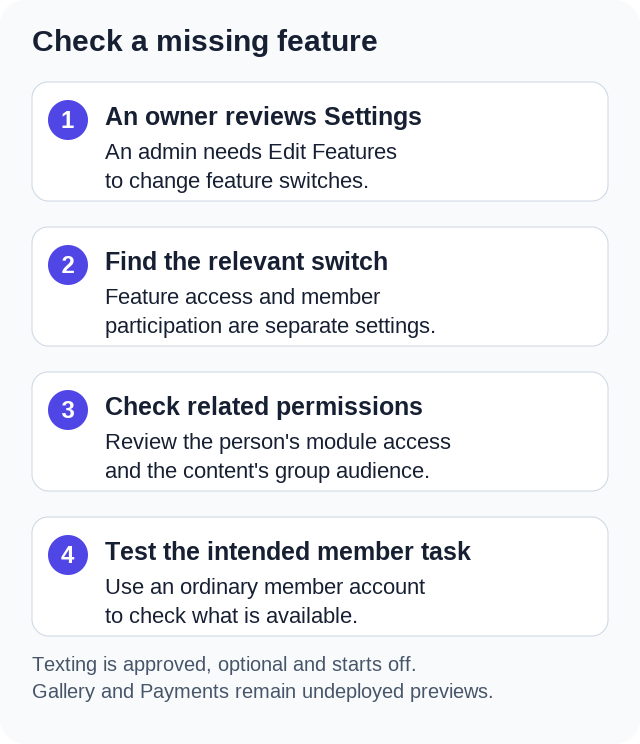
You need an owner or admin account with the Edit Features permission. Open "Admin Panel" from the home grid, choose "Settings", and select the "Features" tab. For the other tabs, see /help/settings/organization-settings.
The switches#
| Switch | Off means |
|---|---|
| Elections (anonymous voting) | Members cannot see or vote in elections, and new elections cannot be created. |
| Polls (quick feedback) | The Polls screen disappears and quick poll responses are blocked. After the survey release preview deploys, this same switch also blocks surveys. |
| Documents (file library) | The document library is hidden and downloads are blocked. |
| Broadcasts / Announcements | The News tile disappears and announcements cannot be sent. The home tile is labeled News and opens the Announcements screen. |
| Resources (curated links) | The Links list is hidden. |
| Member directory | Members cannot browse the directory. |
| Email notifications | Announcements and invitations stop going out by email. Password resets and email verification still send, because suppressing those would lock people out of their own accounts. Everything still appears in the app. |
| Groups (member grouping & analytics) | Group management and group targeting are unavailable. |
| Show groups in member directory | Group chips no longer appear on directory entries. |
| Calendar (events & RSVPs) | The Events tile disappears and events are blocked. The tile is labeled Events and opens the Calendar screen. |
| Event gallery (albums & photos) | The Event gallery tile and admin entry disappear, and new gallery and photo requests are blocked. Albums and photos are kept. |
| Payments (dues and event fees), development preview | New collections and checkout are blocked. Existing history remains available from Profile. |
| Social (member-facing social feeds) | The member Social screen is hidden. |
| Chat (realtime messaging) | All chat, channels and direct messages, is off. |
| Org-wide "General" chat channel | The automatic all-members General channel is archived (see below). |
| Direct messages between members | Members cannot DM each other, but can still DM admins. |
Texting is turned on by One Group Central#
Texting is a paid add-on to your plan, priced per plan on the pricing page. Every text costs money to send, so the Features tab shows "Texting (SMS)" as On or Off but has no switch for it. To add texting, or to stop it, email info@onegroupcentral.com and we turn it on or off for your organization. Texting starts off. Older versions of the app still show a switch here, and changing it has no effect.
Ordinary feature switches default to on. The Payments development preview defaults to off.
While texting is on, the "New Broadcast" dialog shows a "Send via" choice of Email, Text, or Both. A text goes only to members who added a phone number on their profile, and your organization has a monthly allowance of texts. See sending by text for the allowance and what happens when it runs out.
While texting is off, the "Send via" choice does not appear and broadcasts are not sent by text.
Event gallery#
"Event gallery (albums & photos)" starts on by default. Turning it off blocks the gallery for everyone, including admins and assigned editors, while keeping all albums and photos. Use View Event Gallery in Member Permissions to restrict one member, and an album's viewing groups and editor choices to control that album. A photo link already issued can remain usable until its five-minute expiry. See managing event galleries.
The General channel toggle#
The Org-wide "General" chat channel switch controls the automatic all-members channel. Turning it off archives the current General channel and stops the portal from recreating it. Group channels and direct messages keep working. Turning it back on creates a fresh, empty General channel. For channel management, see /help/admin/managing-chat-channels.
Direct messages: members can still reach admins#
Turning "Direct messages between members" off blocks member-to-member DMs only. Any member can still start a direct message with an owner or admin.
Note: The server rejects requests for a disabled feature, so a saved link or an old open tab cannot get around the switch.
Common mistakes#
- Turning off Chat when you only wanted to remove the General channel. Use the Org-wide "General" chat channel switch instead.
- Choosing Text on its own for a notice everyone must read. Members with no phone number on their profile get no text and no email. Those members see the notice only if they open the app or have push notifications on. Choose Both instead.
Twilio's SMS character limit documentation explains that a 161 character GSM-7 text goes out as two segments, and that cutting the segment count can reduce cost. For members who rely on push notifications rather than texts, Google's Android guide shows how notifications are turned on or off for each app. The two references describe the carrier and device side, not your plan's texting allowance.
FAQ#
What happens if I turn a feature off while members are using it?#
Most features disappear and block further requests while keeping existing data. Payments blocks new collections and checkout but keeps payment history available; in-flight confirmations still update the record.
Why is there no Text option when I send a broadcast?#
The "Send via" choice only appears while texting is on for your organization, and texting starts off. Email info@onegroupcentral.com to add the texting add-on, and we turn it on for you.
Can members still message me if I turn off direct messages?#
Yes. The switch only blocks member-to-member DMs. Members can always open a direct message with an owner or admin.
Where is the anonymous voting switch?#
There isn't one, because every election stores ballots the same way and there is nothing for a switch to change. Older versions of the app show an "Anonymous voting (within elections)" switch. That old switch never had any effect on an election, in either position, and newer versions remove it. To stop running elections altogether, turn off "Elections (anonymous voting)". For what the ballot design does and does not protect, read How anonymous voting works.
Payments starts off#
Payments is a development preview, not deployed. Enabling its organization switch is one prerequisite; the platform must enable live use after provider confirmation and validation, and each recipient must finish onboarding. Turning the switch off prevents new collections and checkout. Existing payment history remains readable, and payment confirmations already on the way are still processed. A checkout opened before the switch changed may complete. See Managing payments.
Published: . Last updated: .