Security overview: how your portal is protected
One Group Central protects your portal with invite-only access, connections encrypted in transit, bcrypt-hashed passwords, optional two-factor authentication, suspension that takes effect within seconds, an audit log of administrator actions, rate limiting, and an encrypted vault for sensitive documents. Election ballots also receive application-level encryption.
One Group Central is built for organizations that handle votes, member records, and private documents. This article describes, in plain English, how your portal is kept private. You do not need any technical background to follow it.
Private by design#
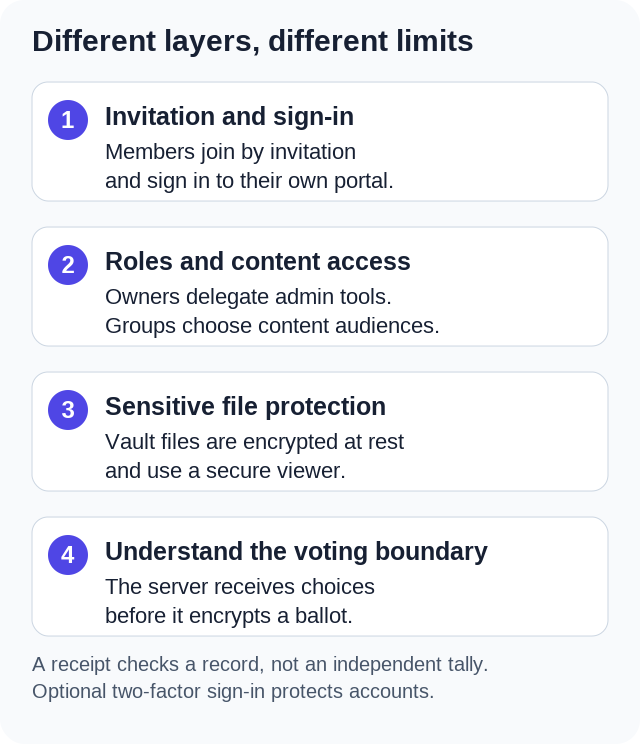
Every portal is invite-only. There is no public signup for members. You can only join if an administrator sends you a personal invitation link, which is valid for 7 days and can be used once. Your portal lives at its own address (app.onegroupcentral.com followed by your organization's slug), and everything inside it is visible only to signed-in members of that organization.
All connections between your device and the portal are encrypted in transit, so nobody on the network between you and the server can read what you send or receive.
Passwords and sign-in#
- Passwords must be at least 12 characters. A few words together work well. Passwords built mostly from very common words (like "password" or "letmein"), passwords containing your own email name, and low-variety strings are rejected.
- Passwords are never stored in readable form. They are hashed with bcrypt, a slow one-way algorithm designed to resist cracking.
- The service has an optional check that compares new passwords against known data-breach lists. When it is on, only the first five characters of a one-way hash of your password leave the server, never the password itself.
- Every member can turn on two-factor authentication from their profile, which adds a 6-digit authenticator code to sign-in. See Two-factor authentication.
The OWASP password storage guide explains hashing and encryption. NIST's authentication guidance covers common and compromised password checks and limits on failed sign-in attempts. These describe the concepts behind the safeguards above, not an independent assessment of One Group Central. References checked October 11, 2026.
Suspension takes effect within seconds#
If an account is suspended, that person's access ends within about 30 seconds instead of lasting until their session expires. The same applies when an entire organization is suspended, including devices that are already signed in.
Administrative activity is logged#
Administrator actions such as invites, uploads, sends, and role changes are recorded in an audit log with who did what, when, and from where. Administrators with the right permission can review and export it. Every view of an encrypted sensitive document is logged too.
Rate limiting#
The service limits how fast requests can arrive, both at the network edge and inside the application. This slows password-guessing attempts and stops runaway sends, such as a misfired broadcast flooding inboxes.
The encrypted document vault#
For sensitive files such as ID photos, administrators can upload documents into an encrypted vault. Each file gets its own encryption key and is stored encrypted. Only administrators can open it by default. The app checks current access and uses memory-based viewers without a download or export action; these controls do not guarantee that a browser or operating system retains no data or prevent capture of what is displayed. Vault deletion removes the live wrapped key and makes the file inactive, with no app recovery action. Removal of stored ciphertext is attempted separately; earlier backups retain historical wrapped keys until they expire. Read more in Document encryption.
Encryption scope#
TLS protects connections in transit, passwords are stored as hashes, and selected content such as sensitive-vault documents and election ballots receives application-level encryption. This does not mean every roster, message, or stored field is end-to-end encrypted. Ordinary application data remains readable by the service where needed to operate it.
Anonymous voting#
The ordinary election administration interface shows aggregate results without individual choices. Participation and encrypted ballots are stored separately, but the current authenticated service receives choices before encryption. Absolute anonymity against a service operator is not established. The full explanation is in How anonymous voting works.
Analytics update prepared for release#
The October 15 source update prepares Umami and HeyCatch together for the public website and browser app. The earlier release and installed app versions can differ; the release record must establish which version is deployed.
In the prepared browser app, both providers receive selected generic screen
names with synthetic paths such as /screens/home, plus bounded sign-in and
invitation outcome labels. These contain no actual portal address,
organization slug, account ID, name or email. Sensitive voting and answering
screens are excluded. The prepared native apps have no product analytics SDK.
Technical browser, device and anonymous session metadata still supports usage
reports. There is no account identify call, session replay or automatic private
interaction capture.
The public website records public paths, bounded campaign tags, referring hostnames and confirmed website outcomes. A first-visit acquisition record stays in your browser's local storage until you clear site data. At portal signup, the original campaign and capture time are saved with the owner and organization in our database to connect channels to subscriptions. A separate current-tab record supports current campaign reporting and QA exclusion. Do Not Track disables new browser collection and acquisition storage. Explicit QA verification visits are excluded from new browser measurement.
The service records confirmed organization milestones, including first invitations, messages, completed elections and subscription outcomes. Those server notifications use Umami and contain an internal organization ID only. Neither prepared browser integration sends message text, document contents, member names, emails, ballot choices, individual ballot submissions, election identifiers, receipts, nullifiers, anonymous poll answers or survey responses. A completed-election milestone describes an organization action, not how a member voted.
Earlier HeyCatch versions may still link generic screens and sign-in or invitation events to account ID, email and display name when available, plus SDK, device, session and network metadata. Earlier identifiers or queued events and the SDK's website session-volume records may remain on the device. Updating an integration does not erase previously collected provider data.
Read the Privacy Policy for provider details and contact info@onegroupcentral.com with an analytics privacy request. Deployment, notice and store privacy declarations still require verification against each released build.
Election evidence#
Database deletion guards preserve election evidence through voting and at least one calendar year after closure. Owners can extend deadlines and grant scoped observers a redacted report. These are application safeguards, not protection against every privileged database change, an independent recount, or a certification. See Election records and observers.
Security questions are welcome at info@onegroupcentral.com or through the /support page.
Note: No system removes the need for good habits. Use a unique password, turn on two-factor authentication, and sign out on shared devices.
FAQ#
Is my data shared with other organizations?#
No. Each organization's portal is separate, and members of one organization cannot see another organization's content.
Can administrators read my password?#
No. Passwords are stored only as one-way bcrypt hashes. Nobody, including administrators and support staff, can recover your password from what is stored.
Is One Group Central SOC 2 compliant?#
No. One Group Central has no SOC 2 report or attestation.
What happens if my account is suspended?#
Your access ends within about 30 seconds on every device. Contact your organization's administrator to restore it.
Published: . Last updated: .