Frequently asked questions
The One Group Central FAQ gives short answers to the questions people ask most about the all-in-one private member portal, covering getting started, voting and privacy, members and content, plans and billing, and security. Each answer links to a fuller article where one exists. If your question is not here, try the Glossary or contact info@onegroupcentral.com.
Getting started#
How do members join a portal?#
By invitation only. An administrator sends a personal invite link, valid for 7 days and usable once. There is no public member signup. See the invitation help if your link is not working: Invite link expired.
What is my portal address?#
https://app.onegroupcentral.com/ followed by your organization's slug (lowercase letters, numbers, and hyphens). Your invite email contains the exact link.
Can I use it on my phone?#
Yes. The web app installs straight from your browser and then opens in its own window from its own icon, with unread badges. Some organizations also offer their own branded app in the stores; if yours does, your administrator will share the link.
I never got my invitation email. What now?#
Check spam, search your mailbox for onegroupcentral, and ask your administrator to restore the invite (which generates a fresh link). Full steps: Not receiving emails.
Voting and privacy#
Is my vote really anonymous?#
Not completely. No screen shows admins or other members how anyone voted, but our server receives your choice together with your account before it encrypts the ballot, so the people who run the service could link the two. Details: How anonymous voting works.
Can administrators see how I voted?#
No screen in One Group Central shows administrators how you voted. Admins see how many members are eligible and, once voting is closed, the same totals members see. A tiny turnout is the exception: if only one member votes, the totals are that member's ballot.
Can I prove my vote was counted?#
Not fully. On the device you voted from, as long as you stay signed in, "Verify my vote" checks that the election record still holds the entry hash at the position on your receipt. It cannot show what your ballot said or that the count is right. Details: Check your vote receipt against the election record.
Are polls anonymous too?#
Only when the administrator turns on the anonymous switch for that poll, and then they are anonymous to admins: the results show no names. Non-anonymous polls show who chose what. Look for the "Anonymous" label before responding.
Can a candidate observe an election without becoming an admin?#
Yes. Owners can grant an existing eligible active member read-only access to one election's redacted records. The grant does not override election module restrictions or audience access. See Election records and observers.
Members and content#
How many members can I have?#
The 60-day trial allows 25, you and your admins included, and we raise that for an evaluation if you ask. Paid plans: Starter 100, Growth 300, Plus 500, Enterprise 1,000 (contact us for more than 1,000).
Can I turn features off?#
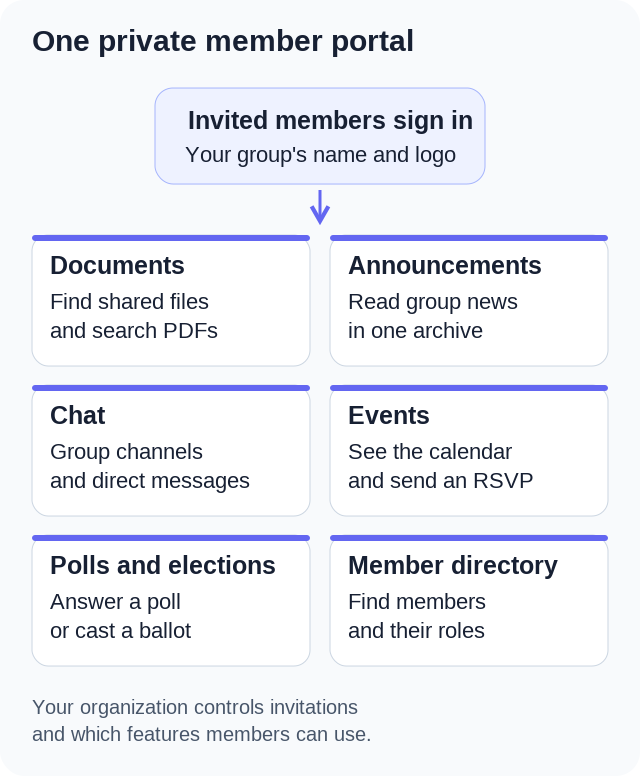
Yes. Administrators can switch off any feature (elections, polls, chat, calendar, documents, and more) in Settings, Features. A disabled feature disappears for members and is blocked on the server too.
Can members message each other?#
Chat includes channels and direct messages. Organizations can disable member-to-member direct messages; members can then still message owners and admins.
Why can't I see a section other members see?#
The feature may be off, your own permission for it may be off, or the content may target groups you are not in. Ask your administrator.
Plans and billing#
What does the free trial include?#
Every feature, for 60 days, with no credit card required. Trial caps: 25 members, 500 emails per month, 200 MB storage.
What happens when the trial ends?#
Members and admins can't sign in, and see a message asking the owner to subscribe. The owner can still sign in, to the Billing screen only, and subscribe there. Nothing is deleted, and subscribing restores access for everyone immediately.
Do members need to pay?#
No. The organization pays one subscription; membership is free for members.
How much does it cost?#
Starter $49, Growth $99, Plus $149, Enterprise $199 per month. All plans include every feature and differ in caps, and Enterprise also includes the branded apps. Annual prepay saves 20% ($39, $79, $119, and $159 per month by tier, billed yearly), and verified nonprofits get 20% off with proof of 501(c)(3) status.
What happens to our data if we cancel?#
The owner chooses: pause billing and keep everything, cancel with a full export and 90 days of retained data, or cancel with export and prompt deletion. Nothing happens instantly, and a request can be withdrawn before it is acted on.
Deletion timelines are subject to active election holds. Records stay protected during voting and for at least one calendar year after closure, or longer if extended. See Election records and observers.
Security#
How secure is my password?#
Passwords require at least 12 characters, are stored only as bcrypt hashes, and can be screened against known breaches. You can also turn on two-factor authentication from your Profile: Two-factor authentication.
Is One Group Central SOC 2 compliant?#
No. One Group Central has no SOC 2 report or attestation.
What protects sensitive documents like ID photos?#
An encrypted vault. Each document has its own key and is stored encrypted. Only admins can open it by default, the secure viewer keeps the file in memory, every view is audited, and deleting the document destroys its key for good. See Document encryption.
For the password answer, NIST SP 800-63B tells verifiers to compare a new password against a blocklist of commonly used, expected, or compromised passwords, which may include passwords from earlier breaches. RFC 6238 defines the time-based one-time password algorithm behind the codes many authenticator apps show. Those references describe general practice for passwords and sign-in codes; they are not an audit or certification of One Group Central.
Published: . Last updated: .