Security and Privacy
How are accounts, documents and votes protected?
Set up two-factor authentication and understand encrypted documents, voting privacy and receipt checks, including what the current service cannot prove.
- Security overview: how your portal is protectedA plain English tour of One Group Central security, covering invite-only access, encryption, passwords, two-factor authentication, and audit logging.
One Group Central protects your portal with invite-only access, connections encrypted in transit, bcrypt-hashed passwords, optional two-factor authentication, suspension that takes effect within seconds, an audit log of administrator actions, rate limiting, and an encrypted vault for sensitive documents. Election ballots also receive application-level encryption.
- Two-factor authentication setup and use (TOTP)How to turn on two-factor authentication in One Group Central, sign in with a 6-digit authenticator code, and what to do if you lose your device.
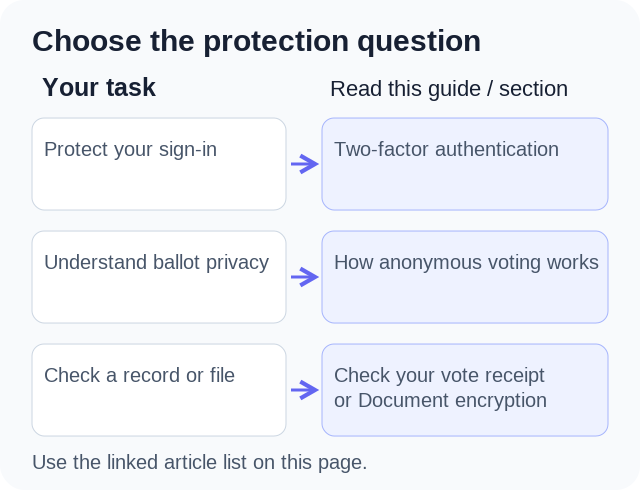
Turn on One Group Central two-factor authentication from your Profile: tap "Start" in the "Two-factor authentication" section, add the secret key to an authenticator app, then type the 6-digit code it shows and tap "Enable". After that, sign-in asks for a current code from the app after your password.
- How anonymous voting works, a plain English guideHow election nullifiers, encrypted ballots, and receipts work, including the current service-operator privacy and verification limits.
In One Group Central elections, no screen shows other members or your organization's admins how anyone voted. Ballots are encrypted before they are stored, results show only totals once an admin closes voting, and every ballot joins a hash chain that your receipt points into. Each part has limits, set out in the sections below.
- Check your vote receipt against the election recordHow to check your vote receipt in the app, what the vote chain contains, and what the Merkle root shown at tally is for.
A One Group Central vote receipt lets you check whether the election record still holds the entry hash at the position you were given when you voted. To check, open the election or its receipt on the device you voted from and choose "Verify my vote". A match shows "Vote verified".
- Document encryption and the sensitive vaultHow One Group Central protects sensitive documents with per-file encryption, a secure viewer, view auditing and live key deletion, with backup limits.
The One Group Central sensitive vault stores encrypted PDFs and images. Every organization owner and administrator can open sensitive uploads; uploader-only access and chosen-recipient sharing are unavailable. Files open in the app without a Download or Export action, but someone who can view them can still capture the screen.
Published: . Last updated: .